How to create an amazon kdp account

Amazon also offers from its platform the publication and purchase of digital booksor in paper format. Indeed, to make it easier for authors and readers to publishor read books, this online sales site has made available to them a platform dedicated to books called Kindle Direct Publishing or KDP. In addition, to benefit from this service, all you need to do is create an Amazonkdp account and take out a Kindle subscription.
To learn more about the Kindle library, how to register, and how to publish a bookon kdp Amazon.
Create an Amazon Kdp account :
To access this library, you must first create an account. Indeed, if you already have an Amazon account, you do not need to create an Amazon Kdp account.
All you need to do is log into your customer account and access Kindle. However, if you do not have an account, follow the kdpaccount creation process below:
First, go to the kdp.amazon.com website
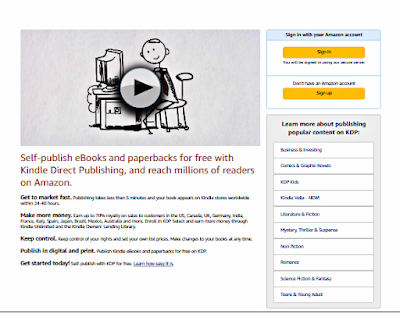
· Then, click on the 'Registration'section
· Then click 'Create your Kdp account'
· Enter your name and email address


· Enter your password.
· Finally validate your account.
You have just created an Amazon kdp account. You are therefore a member of the Amazon kdp platform.
Also, you cannot use multiple kindles on the same Amazonaccount but you can register kindles on multiple devices as long as you create an Amazon kdp account each time.
How to publish a book on kdp Amazon?
After creating an account, you can publish your book on this platform. For that, proceed as following :
· Click on "Add a new title"
· Enter your book information "Title, description, ISBN number "
· Confirm your rights
· Choose the section to which your book belongs
· Select your keywords: You can actually choose up to 7 keywords
· Choose the mode of publication of your book
· Import or create the cover of your book
· Download your book file
After downloading your book, you need to choose your royalty. You actually have the choice between 35% or 70% royalty. Indeed, to obtain the royalty of 70%, your book must not belong to the public domain and its price must be between 2.6 and 9.70 €.
However, for the 70% royalty, Amazon kdpapplies a delivery charge proportional to the size of the book. While, it does not apply these charges for the 35% royalty.
The penultimate step in the book publishing processis to join the KDP Select program. This is effectively allowing kdpto promote your book while charging a commission on the sale and exclusivity of the book for 90 days.
Finally, you just have to fill out the tax form. Indeed, since Amazon is an American sales site, you are in the obligation to submit to the taxes of the United States.
To do this, simply click on your profile then on "Tax Information". Then click on "Show / provide tax information" and answer the questionnaire.
Your Kindle Amazon Edition bookwill then be published after a few days.
How to download Kindle books?
Using your Kindle account, you can download and save books online. In effect, it's about downloading eBooksto your tablet or computer and saving them to your Kindle Smoother.
Log in to your Amazon account and click on the "My account"section.
Then, click on the "Content and devices" tab at the bottom left of your screen.
You will then be taken to a page that shows you all of the kindle books you have purchased. Click on the button with the 3 three dots then another click on "Download and transfer via USB".
You just have to choose the file in which you want to save your book.
For more information or if you have encountered any difficulties creating your account, please do not hesitate to contact Amazon kdp.

No comments:
Post a Comment